Back in March this year, my mate David shared with me this idea called the Hollow Engine problem by a guy called Michael Davidson on Twitter.
The idea is that most agencies are "hollow" in that the engine for production is people. And as they grow, so do expenses, straining profit.
But with AI, smart agencies and freelancers can change to an "Infrastructure Operator Model" where we basically codify what we do into skills and procedures, let agentic AI run it, resulting in a leveraged one person business.
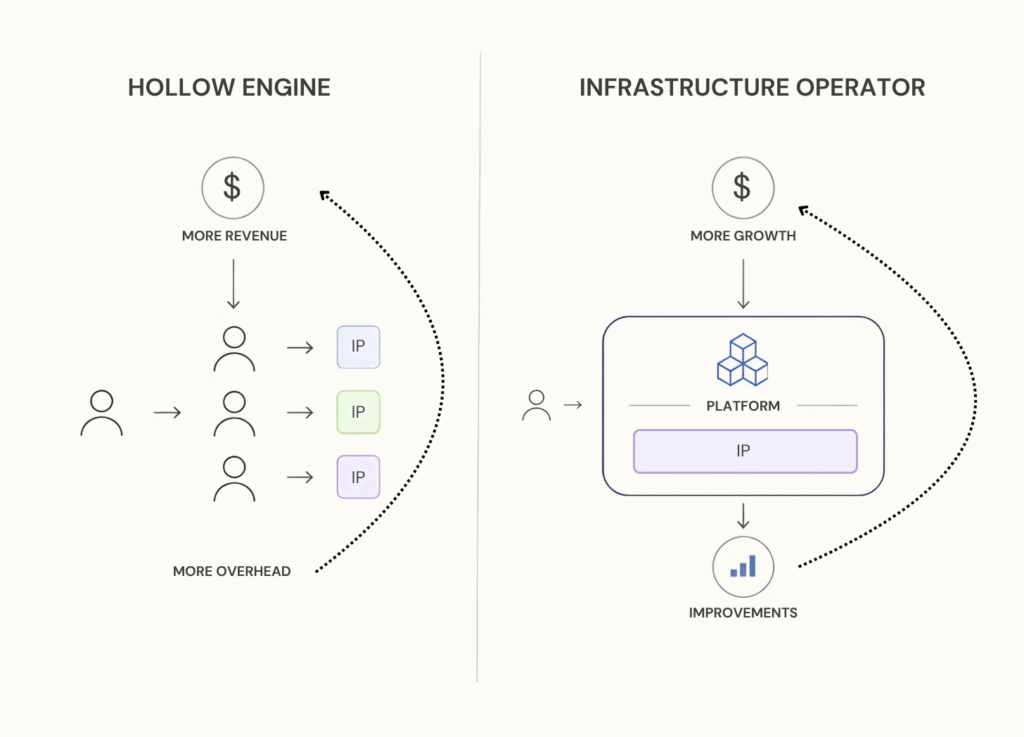
The engine becomes the asset.
This set me off on an idea whether I could leverage AI tools in their current 2026 state to do this.
And somehow, I managed to get something scraped together and working!
Everyday, around 8:30 AM my workspace OS web-app suggests a range of tasks (that it can do) for my approval based on the context of my clients and emails etc:
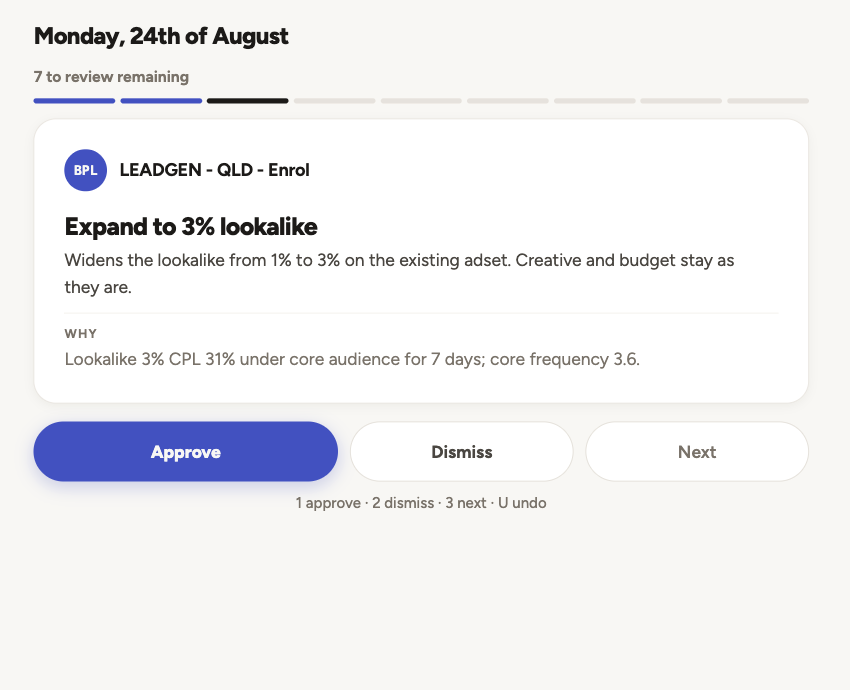
For each thing, I can approve, dismiss or skip. Works on mobile, too.
Then about 60 minutes later, it will execute the approved tasks.
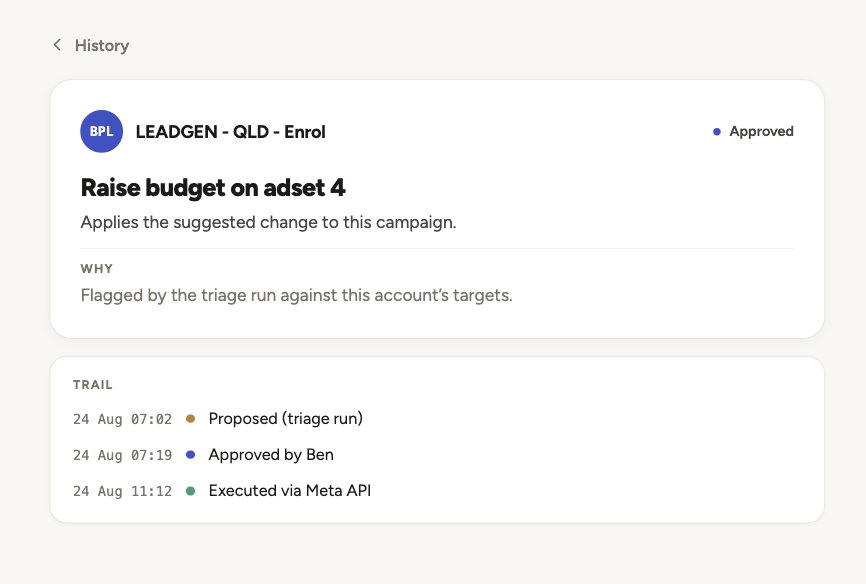
While it currently can't do everything, it's taking a few things off my plate to get some work life balance back.
Here's how it works:
1. Collect context data
Originally I thought to make the system I needed to write Claude skills for each one of my tasks.
So I started creating skills for everything and connected Claude to my gmail, Asana, etc and basically tried to let it rip. But the problem was - it could never really get anywhere because it lacked greater context of a client or campaign.
Which made me realise - execution is the easy part. The real lift happens when AI can decide for itself. And to do that it needs structured data.
So I built out the base of the app as a client context framework.
This includes a timeline per client and campaign:
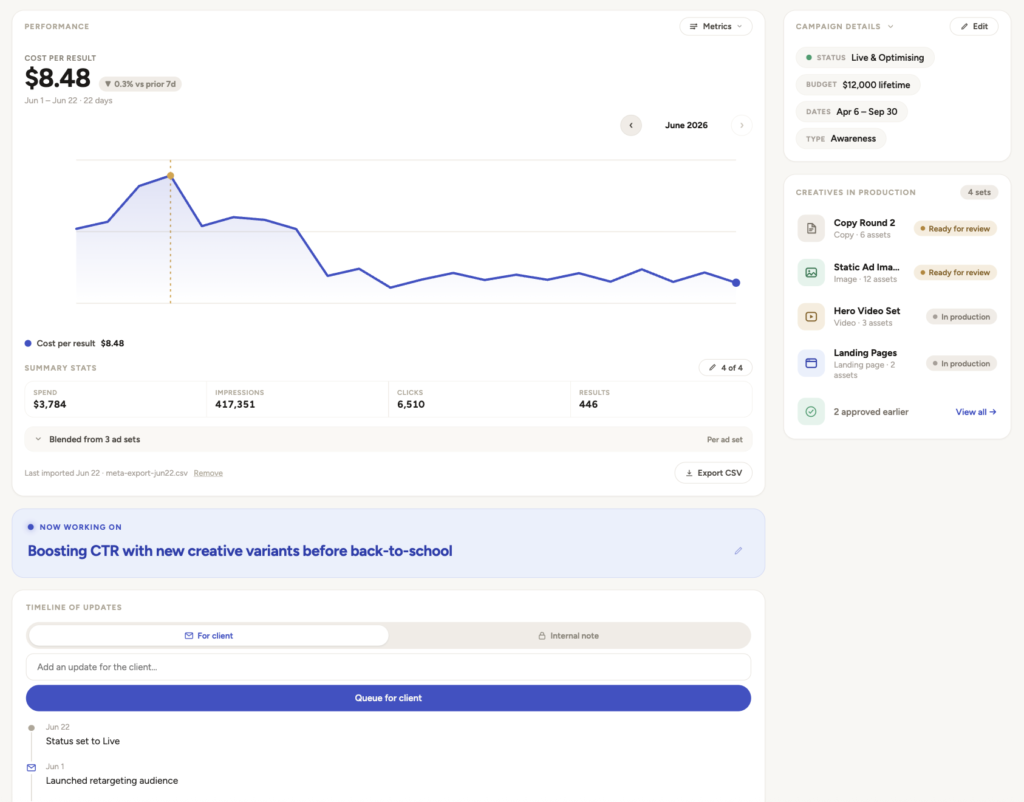
Scopes:
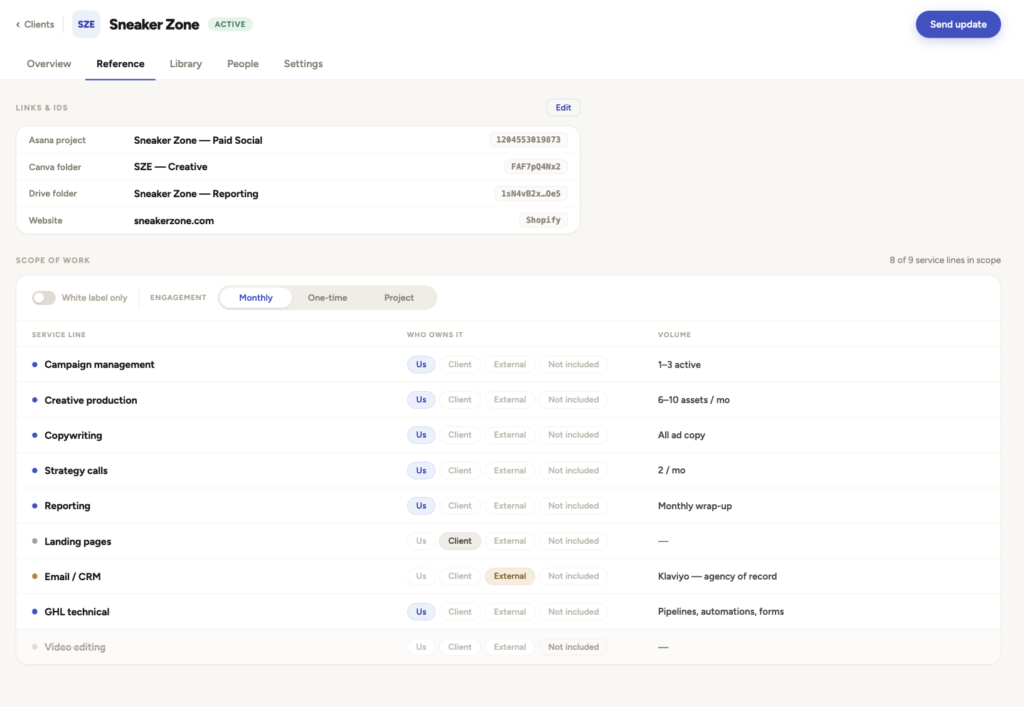
And library documents, where I can store long form text and instruct Claude to read documents every time when tasked with dealing with a client:
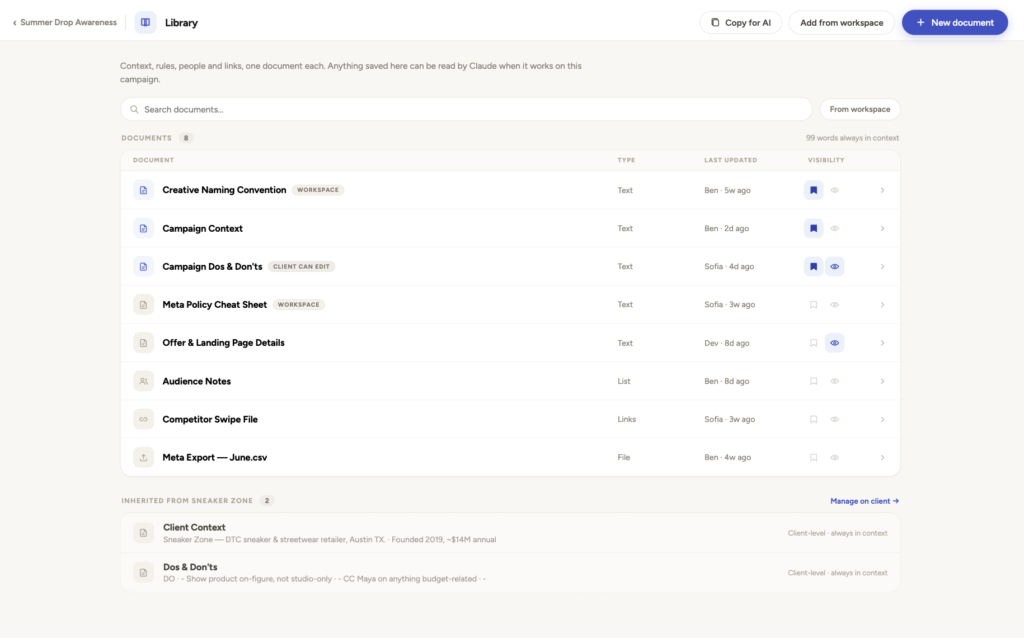
This lets Claude understand who my clients are and what I owe them in terms of work scope, but also important things like dos and don'ts.
With that done, I created a simple Claude MCP custom connector so my Claude could connect and read from data inside the platform.
2. List approved actions
Now with the full client and campaign context, it can start to think.
In the beginning, I tried to hand over my thinking by writing out my entire mental process for diagnosing what to do next on every campaign, as a big logic tree the AI could walk through.
It was a feature for mapping and storing logic trees called Playbooks.
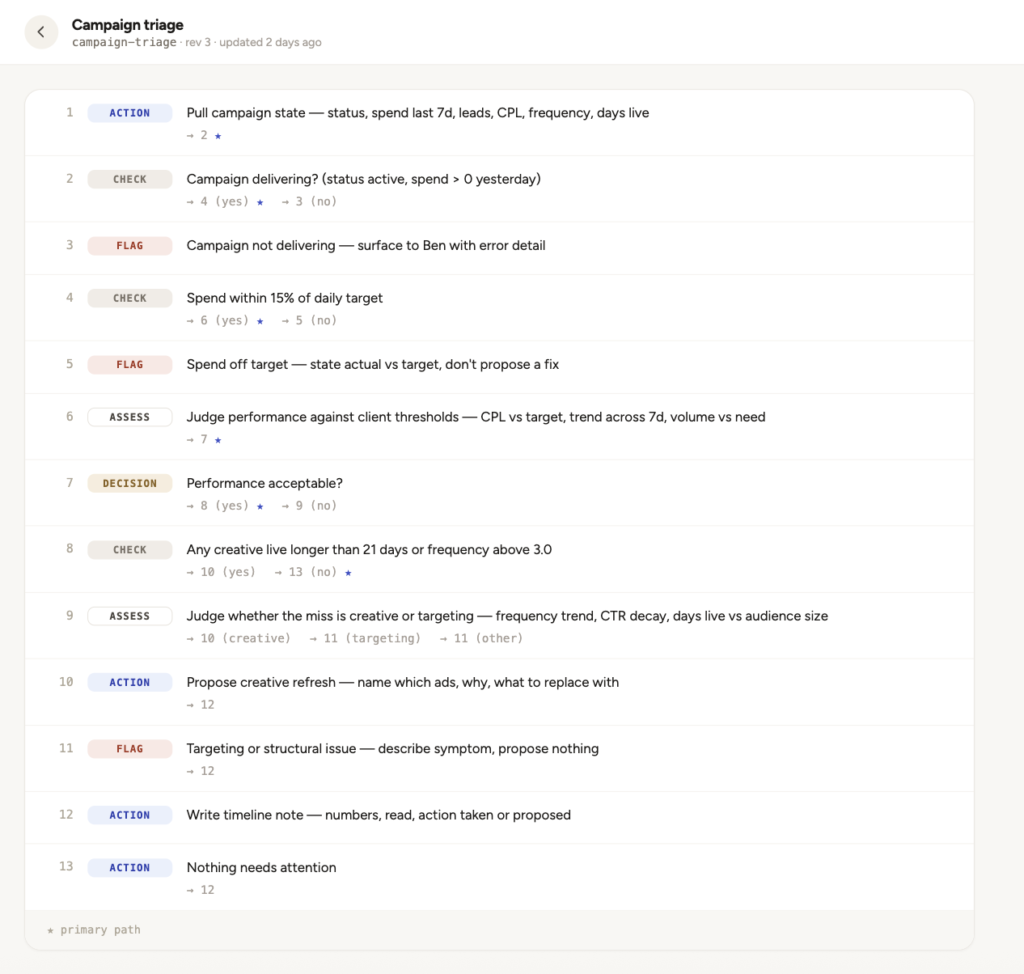
But I noticed after running this for awhile, Claude would get stuck on my process tree branch that explained onboarding, and couldn't find its way out because the context that onboarding had already happened was missing.
Annoyingly, using a logic tree meant every little thing had to be recorded for the AI to properly come up with ideas.
So based on some advice from my friend David, I removed the playbook feature and gave it a menu of actions instead. Each one is basically title plus text on when and how to do it.
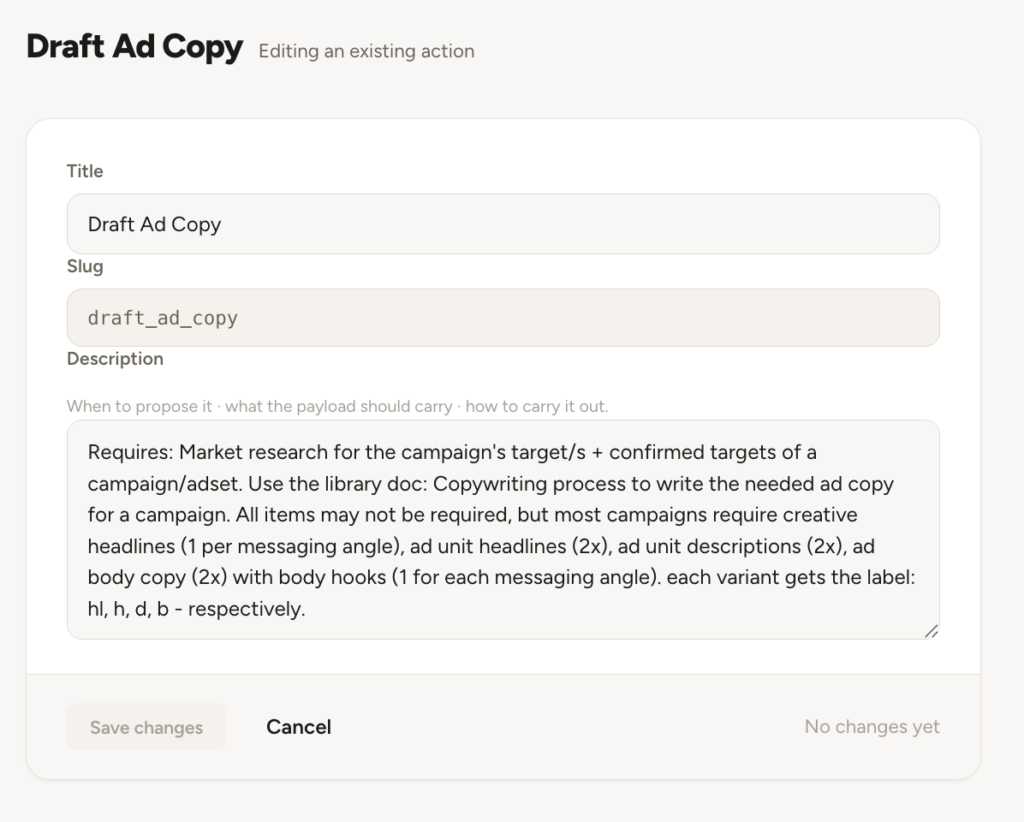
For example, "Create Asana card. Make an Asana card for a task a human has to do, because the AI currently doesn't have the ability to do it."
AI decides based on the context.
Somehow, giving it a menu of things that it could think about offering to do based on the current situation + a 360 degree view of a client's context and engagement scope made it easier for the AI to come up with the right ideas.
I couldn't simply list everything in the approved actions for it to do. They had to be executable by the AI via MCP and with context.
For example, there's no point putting "launch ad campaign" in there, because Claude can't do that (yet).
So I started with simple text-based things, like:
- Writing ad copy
- Adding Asana cards for my designer
- Commenting on things, like emails or Asana
- Recording long-term information in the context library
- Sync recorded call texts to the library for reference
- etc
Over time, I've ratcheted up its abilities by adding more tools and approved actions so now it can do non-text things like:
- Generating ad visual concepts
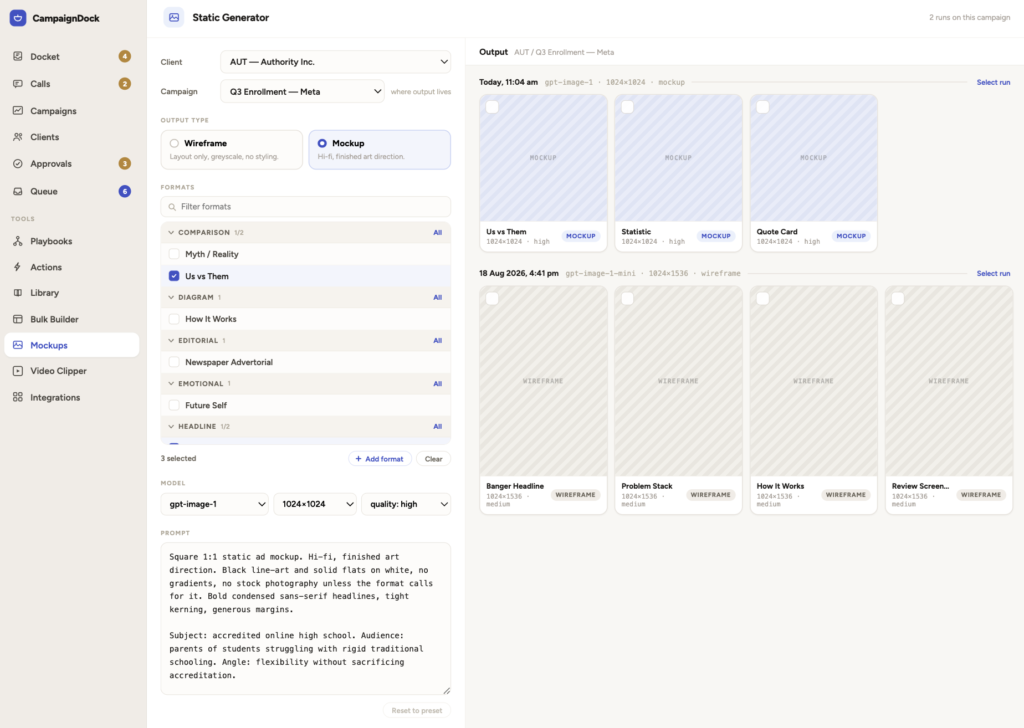
- Creating Meta campaign upload sheets that build campaigns instantly rather than clicking around.
- Etc.
All of these actions needed their own set of MCP tools so that Claude could properly execute these.
3. Analyse and suggest on schedule
Now with the context on the platform, and the list of approved actions, I could finally create the 2 step process I described earlier.
First, I have a scheduled Claude task that runs in the Cloud (so it survives the laptop being closed) that connects to the platform as well as:
- Asana to see what tasks are live
- Gmail to read client correspondence
- Google Calendar for events
- etc
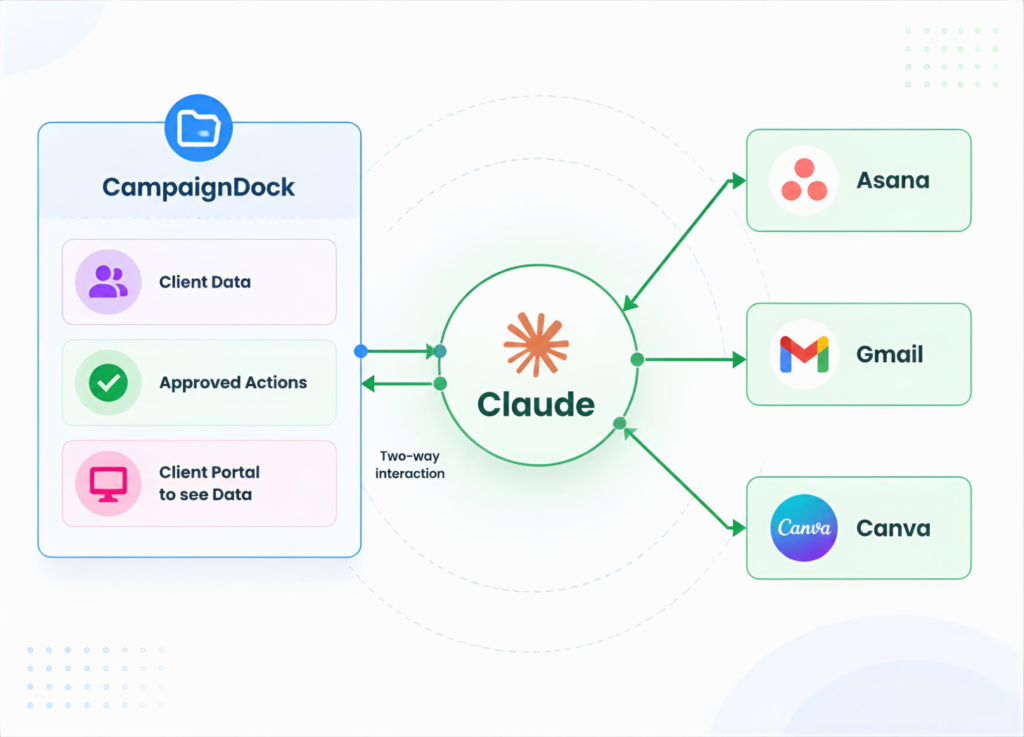
*Sadly, I can't get all clients to communicate like it's the stone ages with email only - so it doesn't always get 100% of incoming communications. But it's close enough.
With those read, it then reviews the approved actions and suggests what to be done next for each.
Then the 2nd scheduled task runs 60 minutes after which simply says "do the approved tasks" with auto-approve on.
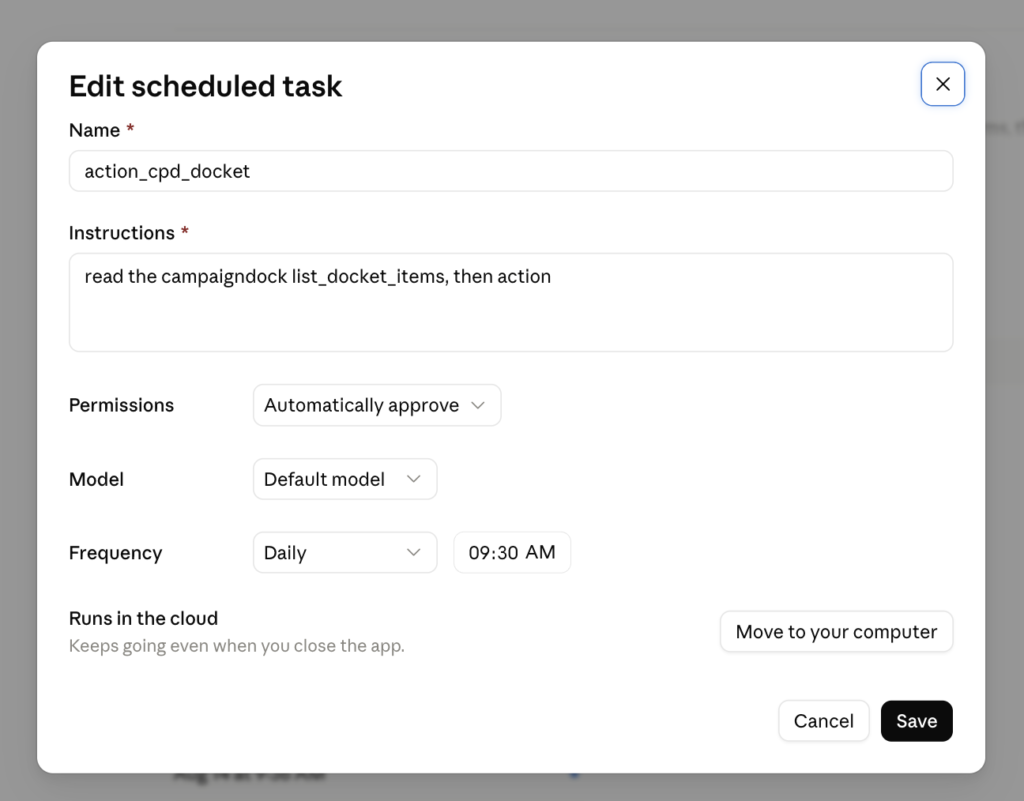
By design, it can't do anything without my approval and without it being a pre-existing action on the menu. So I'm never surprised by the system going rogue and emailing a million people by accident or something.
Side note: It may seem a bit different making the platform itself dumb, in that Claude operates outside of it. I did that so I wouldn't have to build some kind of connection with the app. Let the Claude team do that, or whichever LLM platform is the coolest a few months from now...
Where to from here?
Right now, it's day 13 ish and the platform has 200 suggested actions, 77 approved. It stores the reason for rejecting tasks, so it may be getting smarter, I hope. But it's early days, who knows.
Claude estimates I've saved ~17.2 hrs of work.
Why not the whole show?
Sadly, apart from not having everything actionable by the system yet - like work with videos, landing pages, and giving creative feedback... I realised that a lot of my work still can't be done easily by AI.
Stuff like:
- Thinking through ad strategy across different verticals, timelines and resource constraints
- Creating custom campaign plan documents with diagrams
- Running client calls (lol)
- Managing client requests to change things like copy, pages, campaigns, already created and in flight etc
- Tastefully requesting edits, thinking through design improvements for clarity, etc
The execution of approved things is almost never the heavy lift. Perhaps that's a good thing for my job security.
Regardless, I'm curious how far I can automate things from here. Who knows if the platform is still going and what it looks like a year from now.
 Benjamin Boman
Responses (2)